For trades and small construction teams
The job is done. The paperwork should not take the evening.
Replies to prepare. Job details to collect. Quotes to follow up. CompanyOS helps keep the admin moving, while prices, dates and decisions stay with you.
We set it up with you and agree who looks after it.
Job inquiry
Awaiting information
What arrived · Sam Wilson
Hello, we are planning some renovation work. Could we discuss what you would need to prepare a quote?
Information needed
Site address
Photos of the areas concerned
Draft for review
Hi Sam, could you send the site address and a few photos of the areas concerned? That will help us understand the request before discussing the next step.
Product illustration of the review screen · Example data
Get the details before another round of messages.
A client asks about a job but leaves out the address or useful photos. Your assistant prepares a precise question, ready for you to check.
Job inquiry
Renovation request · Sam Wilson
Example data
What arrived
“Hello, we are planning some renovation work. Could we discuss what you would need to prepare a quote?”
The site address and photos have not been supplied. No price or visit date is agreed.
Information needed
Site address
Photos of the areas concerned
Draft for review
Hi Sam, could you send the site address and a few photos of the areas concerned? That will help us understand the request before discussing the next step.
You read it, change it and decide whether to send it. No price, visit or date is offered.
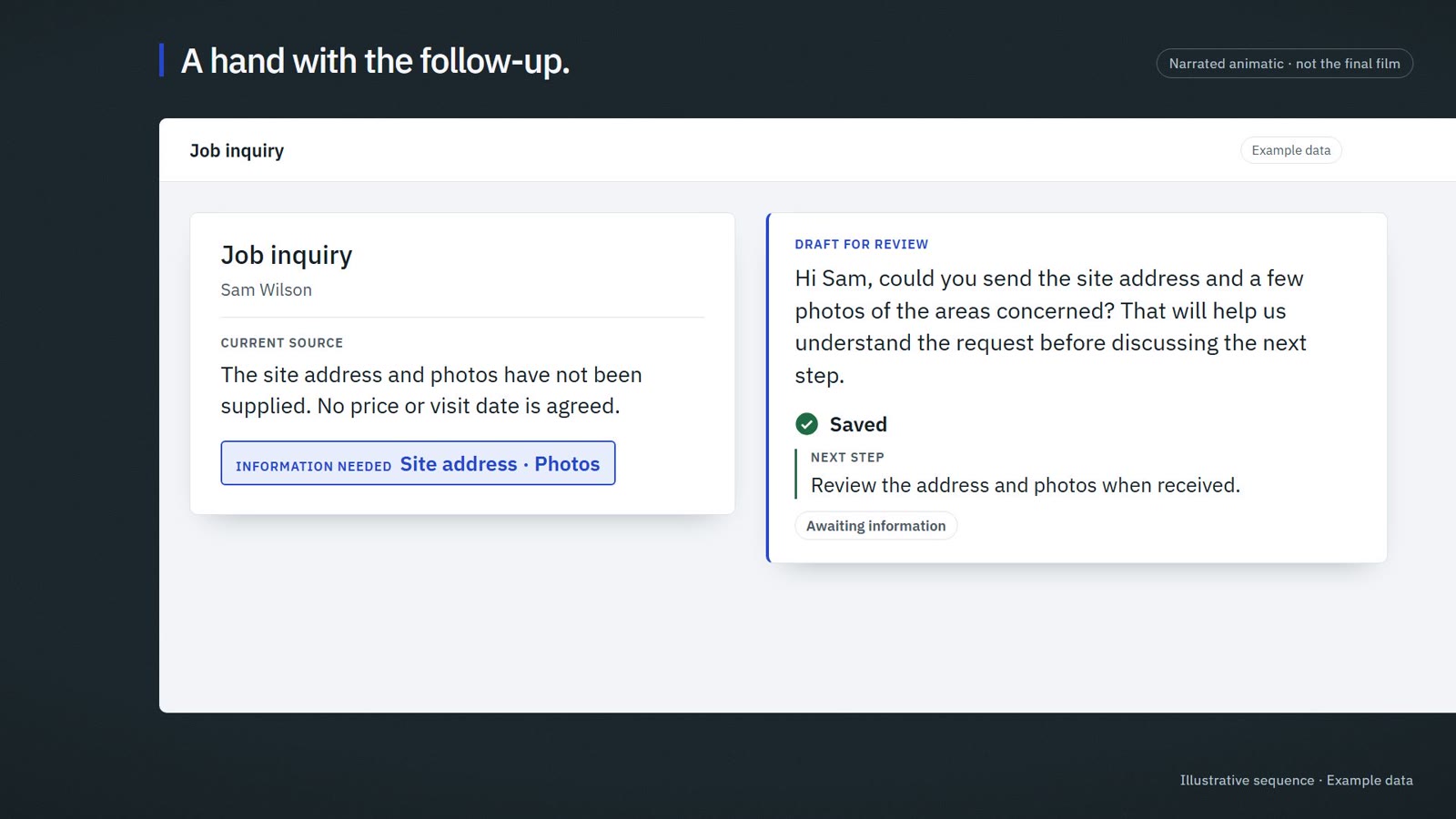
Narrated animatic · not the final film
The video is not published yet. The transcript covers everything it shows.
The second shift
Pick up the quote you meant to follow up.
Bring the earlier conversation and the quote together. Start from a prepared follow-up rather than a blank reply.
Quote follow-up
The earlier quote, with the conversation beside it
The original conversation stays close at hand.
A prepared follow-up waits for your review.
Price and dates stay as you set them.
Example data
Your trade. Your judgment.
You confirm the price, the work and the date. The assistant prepares the administrative next step; it does not inspect a site or make a technical commitment for you.
Stays with you
The price
The timing and dates
Technical decisions about the work
Whether a reply is sent
Job inquiry
Awaiting information
What arrived · Sam Wilson
Hello, we are planning some renovation work. Could we discuss what you would need to prepare a quote?
Information needed
Site address
Photos of the areas concerned
Draft for review
Hi Sam, could you send the site address and a few photos of the areas concerned? That will help us understand the request before discussing the next step.
Ready for your review · not sent
Review reply
Save next step
Product illustration of the review screen · Example data
Written walkthrough · Example data
One inquiry, from arrival to a saved next step
A job inquiry, ready for review.
Here is a new job inquiry. Let’s prepare a useful reply and keep the next step clear, without deciding the price or promising a date.
Check the available details.
The client describes the work, but there is no site address and the photos are missing. Open what they actually sent.
Ask for what is missing.
The assistant prepares a short question asking for the address and the useful photos. It works from this request, so you are not rewriting the same opening message each time.
Your reply. Your decision.
Read the draft and make it sound like you. You know what to ask about the job.
Keep the follow-up visible.
Save the next action. It stays visible while you wait for the missing details.
Discuss your incoming requests.
We start with the requests and follow-ups you already handle. Together we agree the tools, installation and who looks after it.
Someone needs to look after the setup. We agree who.
We work with you and, where relevant, your IT provider to define installation, access, backups and support. Local installation and local AI processing are separate choices, explained before you commit.
Agreed with you before installation
Who looks after the machine and its updates?
Where are the backups kept, and who checks them?
Can your current IT provider take part?
How do you reach support when something goes wrong?
Keep the tools that already work.
We look at your inbox, documents and quoting process before proposing a setup. Supported connections are confirmed before installation.
What we look at first
Your inbox
Your documents and job files
Your quoting software or process
Questions from the trade
Does it create prices or quotes automatically?
This offer focuses on requests, replies and follow-ups. Your pricing and technical decisions stay with you. Any additional quoting work needs a separately agreed scope.
Can I use it on my phone?
We check the tasks you need on your phone and demonstrate the available interface before you commit. The agreed setup identifies the devices and channels covered.
We do not have an IT team. Is that a problem?
It is something to plan for. The installation needs a clear maintenance and backup owner, whether that is us within the agreed support scope or your service provider.
What is still on your list after the tools are put away?
Show us the requests and follow-ups that take the time. We will work out a practical scope.
Discuss your incoming requests